Mikoto2x [
link] [
link2] is a program to convert animations created in Mikoto to the Direct3D *.x text file format.
Mikoto is a program that can be used to animate models created in Metasequoia.
The model has to include special objects and object names for animation to be possible in Mikoto. See the tutorial here [
link].
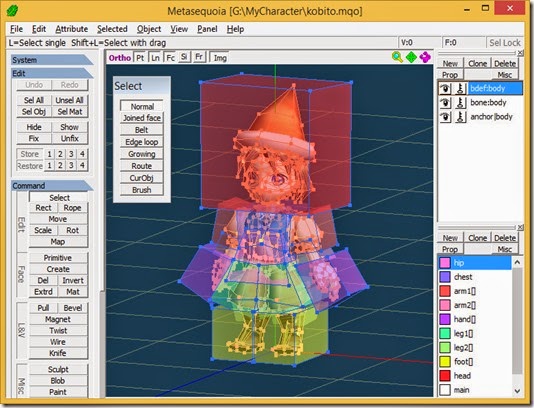
Mikoto2x requires the vertices of the character mesh to be assigned to the bones using the anchors method in Metasequoia.
Anchors are boxes that envelop all the vertices that are to be assigned to a bone.
Reading the translated “readme.txt” [
link] it may required that the effector must be
bdef: only and that the character mesh must be in a single object but I have not had time to clarify this.
I will just show how to use Mikoto2x at this time and update the post later with the requirements for the model.
Create a new folder somewhere on your PC and copy the following files from Mikoto2x’s sample folder to the new folder.
- “kobito.mqo”
- “kobito.m2x”
- “df_00.bmp”
- “df_01.bmp”
I will be using the freeware MetasequoiaLE R3.0.
It is yet to be confirmed whether Mikoto2x is compatible with *.mqo files saved from Metasequoia 4. Metasequoia 4 default *.mqo files are version 1.1 whereas Metasequoia 3 default *.mqo files are version 1.0.
Open “kobito.mqo” in Metasequoia.